MM – In the Spirit

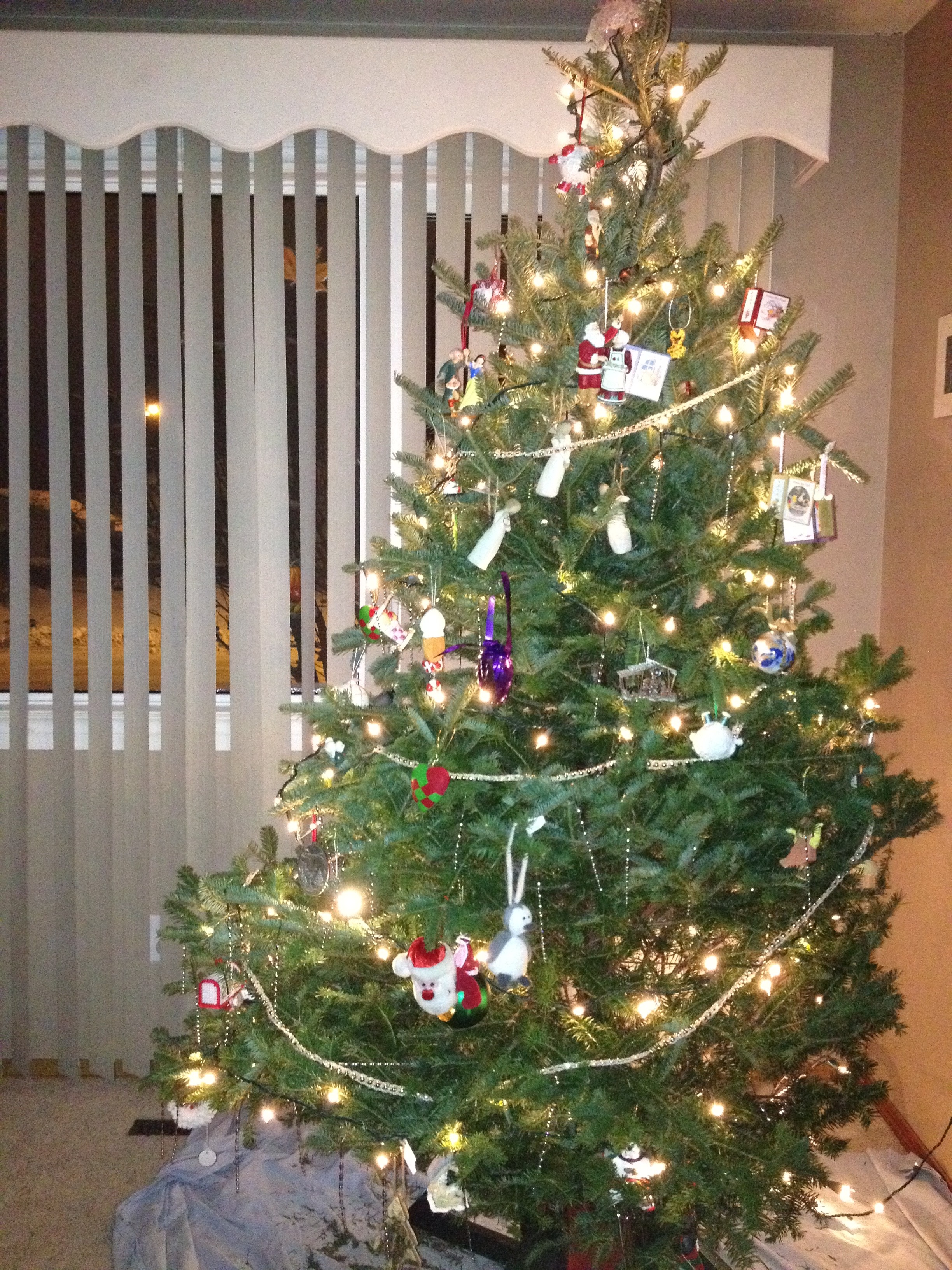
One thing that I love about Mini-Compressor Monday is looking through our expansive photo archive for ‘just the right’ photos to share.  Today’s medley features trees and greenery from Christmas present and past.  And let me tell ya how quickly nostalgia sets in for those of us with young children!

Total album size: 20.5 MB

Cameras: vary from Canon EOS 20D to Konica Minolta DiMAGE G530 to Konica Minolta DiMAGE X50 to iPhone 4S*

Even by using a Compression Index of 90, the total album size was a manageable 13.4 MB with very little quality loss.

The largest pictures were the ones taken in 2006 by a photographer friend.  She used her Canon, which produced awesome results, but translated to huge file sizes.  To reduce the file sizes for sharing (you know, grandparents and cousin…), I bumped the compression index down to 90 and 80.  You can still see the pudginess of that little girl’s wrists and the little boo-boo on her left wrist.  For the stuffies shot, you can still see the individual furs on that penguins earmuffs.  What more could you want for festive pictures?

Don’t believe me?  Here they are side-by-side:

We hope you’re in the spirit wherever you are!  And sharing lots of photos!  ‘Tis the season!

* Speaking of cameras past… we’ve sure gone through quite a few over the years!

Posted in Mini-Compressor Monday | Tagged , , , , | Comments Off on MM – In the Spirit

Mini-Gifting (Tips)

Today’s Mini-Compressor Monday has been replaced by tips coinciding with Cyber-Monday and the upcoming Holiday gift-giving season, known as December.

Some customers have told us they will recommend Mini-Compressor to someone in the future, or better yet, already have made the recommendation.  Why stop at a recommendation?  Why not buy a copy for your someone else?  Well… because, Wise SatMPers, you and your basement don’t give us a way to buy now as a gift…

Whoops.

Instead, here is what you can do.  Advance apologies for the multi-steps.  We also wish it was a one-click process.

1)      Click on the Buy Now button, as you would buy for yourself.

2)      You will receive your confirmation email with download link: do NOT click on the download link.

3)      Instead, reply to the email and tell us the name and email address of the person you’d like to give your copy to.

4)      We will take care of the rest: we’ll update the customer database with your recipient’s name and email and send a mini-guide and download instructions to your recipient.  Gift-wrapping is extra.

I’ll also take this opportunity to remind our customers that the Mini-Compressor software license allows unlimited downloads by individuals in household – this allows you and all of the people living in the same physical household, such as spouses, family members, roommates and well-trained pets who dwell with you (but not everyone in your apartment building or condominium; they can buy their own licenses) to install and use the Software on as many computers as there are within that household for non-commercial purposes.

Gifting Q & A:

Q1) Why can’t I enter my recipient’s email address when buying?

A1) This creates possible problems with PayPal who could flag this as fraud.  That’s not what we want.

Q2) Why can’t I click on the download link in my confirmation e-mail?

A2) The download is counted as a download and that becomes your copy of Mini-Compressor.  You don’t want to use something before your friend opens it, do you?

Happy gift-giving!  We hope we’ve made your shopping easier.  Let us know if you have questions.

Posted in Business Side | Tagged , , | Comments Off on Mini-Gifting (Tips)

MM – Compressing Real Estate Part 3 of 3

This week we conclude the Mini-Compressor Mondays Real Estate series.  You may be relieved if you’re not into fictional real estate.  And if you’re looking for more information about using Mini-Compressor to help sell real estate, by all means, give me a shout!

Today’s property is something that’s closer to what we know in our basement-based world: a bungalow with behemoth garden in a mature neighbourhood within walking distance of most amenities.  It hardly reads like the palatial monstrosity of our first post, or the sleek urban condo of our second post, but it is a reality and our home, sweet home.

Urban-Suburban!  1000 sq ft 3BR/2BT Bungalow

Curb appeal a-plenty, this bungalow in a mature neighbourhood will be in season all –year round.  Close to the river valley and close to transportation and still walk to schools and groceries stores.  Features include original hardwood throughout, functional kitchen, 3 bedrooms and 2 bright bathrooms.  Updated shingles, siding and windows.  Single detached garage. Hang your laundry in the over-sized backyard.  Developed basement with office awaiting your basement-based business.  This house can be a comfortable home for you and your family for years to come.

And now for what will really catch your eyes:  the full size photos to accompanying the charming listing Total album size = 9.0 MB:

That’s it?  Where’s the rest of the house?  Now, remember the upload limit to the hypothetical real estate website?  10 MB.  That meant we could only include 5 photos.  I’m pretty sure you wouldn’t even bother phoning a realtor if you saw these photos.  In fact, Chris and I are usually skeptical of listing that are lacking in photos.  What are they trying to hide?

Here are all of the photos, using a Compression Index of 80.  Total album size = 9.5 MB.

Now, admittedly these photos are a cobbled mix of ones that are really not our home – some taken by and iPhone 4S and some with an old FujiFilm FinePix A820 – but they are meant to illustrate 12 or so photos you’d upload to a real estate website.  We’ve seen some really fancy wide-angle shots and some shaky-hand DIY specials.  They’re all meant to give the home buyer an idea before setting up a 1st viewing.  Regardless, to meet the 10MB upload limit we could eliminate some of the photos, leaving us with 5 shots to carry the load or reduce the image sizes to upload all of them.  We’re pretty sure you’d agree that all the photos together would do a better job of selling.

Thank you for joining us for this series on using Mini-Compressor to compress real estate photos.

Posted in Mini-Compressor Monday | Tagged , , , , , , | Comments Off on MM – Compressing Real Estate Part 3 of 3

MM – Compressing Real Estate Part 2

Two Mini-Compressor Mondays ago, we looked at what a fictional real estate posting would look like with pictures compressed to meet an upload maximum of 10 MB.

We continue the series today with another fictional property* that’s for sale.

Urban Heaven – 500 sq ft studio with 1 bath… Close to all amenities

A cool fountain in the main lobby welcomes you to this ultra-modern and centrally located building, steps from public transportation.  The first thing you’ll see when entering your studio suite is the view!  There is a spacious living/dining/sleeping room.  The kitchen is complete with upgraded touches like granite counters and stainless steel appliances.  The full bathroom has it all – including in suite laundry!  What more could you want?  Don’t delay, buy today!

And… that’s where the beauty stops.  The photos total 16.4 MB, again, over the 10 MB maximum imposed by the real estate website.  Rather than ditch 3 of the photos, the cool and modern Mini-Compressor will reduce all the image sizes in a matter of seconds, leaving you with photos that will upload to website while keeping the quality intact.  Now, that’s an amenity I can handle!

Here are the full size photos:

[flickr_set id=”72157637810003065″]

Here are the same shots, made smaller using a Compression Index of 90.  Total album size = 9.28 MB.

[flickr_set id=”72157637810365576″]

Now that’s something you can appreciate in a “buyer’s market”!

* Still sticking with a realistic listing without ripping off someone else’s real estate listings or photos.  These are photos taken around Edmonton and Seattle with an iPhone 4S.

Posted in Mini-Compressor Monday | Tagged , , , , , , | Comments Off on MM – Compressing Real Estate Part 2

MM – Remembrance Day

Lest we forget.

Posted in Uncategorized | Comments Off on MM – Remembrance Day

MM – Compressing Real Estate

Some of you astute readers may have picked up on my hints in a previous Mini-Compressor Monday post – maybe I really was trying to sell you real estate… No, I’m still trying to sell you on Mini-Compressor.  However, since many of our customers want to make their image sizes smaller for their real estate businesses, I thought I’d take November to showcase the possibilities of using Mini-Compressor for real estate purposes.

Nowadays, with the power of the internet, photos of properties for sale are important.  They help the buyer view the properties online before touring them in person.  It’s the photos that grab your attention!

However, many websites either limit the number of photos you post online or the total size of your album*.  This is where Mini-Compressor can help in your quest to get it sold.  If you want to showcase the property properly, you’ll take a minimum of 10 photos: let’s say, 1 of the front of the house, 1 of the backyard, 2 of the kitchen, bathroom – 5 already… 2 of the master suite makes 7, plus the living room, dining room and basement.  10, easy.  Probably more.

DIY:  You take the 10 photos with your cell phone (at 1.5 MB a pop – that’s 15 MBs of photos.)

Pro:  You hire someone from the realty office to come with their Canon EOS Rebel and Fisheye lens (they take 50 photos at 4.5 MB a shot = 225 MB)

Scenario 1: Your realtor website allows a maximum of 10 photos, regardless of size.

DIY and Pro: Choose the best angles for your 10!  Done!  Wait for the offers to come in!

Scenario 2: Your realtor website allows a maximum of 10 MBs, with no limit on the number of photos.

Scenario 2 would be a little trickier, but a breeze with Mini-Compressor to meet the 10 MB max.

DIY: Reduce the size of your 10 photos using Mini-Compressor: choose a Compression Index that a) doesn’t compromise the quality of the bathroom reno you did last year and b) meets the MB limit of your total uploads.

Pro: If there is truly no limit on the number of photos, then use Mini-Compressor to reduce the image sizes of your 50 photos.

This is where most people would balk.  Why hire a photographer if you’re just going to throw away the quality with some compression program?  Because you don’t throw away the quality.  Most of the time, you’ll barely notice any quality-loss and the new kitchen backsplash still shines through.

I’ve drummed up a fictional property that is “for sale” for the purpose of this demonstration.  It isn’t really for sale.  It’s not even real.  This is a simulation.**

The feature photo:

1- Feature

200 year old 25,000 square foot villa on 28 acres of land

This heritage Romanesque-style villa could be yours.  This 3-storey 15 bedroom beauty has everything you’ll ever need in your forever home: equipped with modern, indoor plumbing, 3 kitchens, wood-burning fireplace, a smoking room and servants quarters.  Stained glass windows and hardwood floors throughout.  A grand gate greets your arrival at the 28 acres you call home.  Your property is guarded by marble lions and a stone wall.  Breathtaking views from the 4th floor tower.

Here are the listing photos:

[flickr_set id=”72157637330626336″]

These 23 photos would not meet the requirements of Scenario 2, above.  They are 50.2 MB in total.  Time to get compressing!

These are the same photos, compressed using a Compression Index of 46***.  They now meet the 10 MB requirement:

[flickr_set id=”72157637331715313″]

Here’s one more look at the photos side-by-side.  See if you can detect the quality loss:

[flickr_set id=”72157637330714935″]

* I’m not talking about the glossy magazines you pick up at the bus stop before boarding the bus in the morning.  I’m talking about real estate websites.

** I wanted to feature some realistic listings without ripping off someone else’s real estate listings or photos.  I also didn’t want to show you the inside of our house, or the outside, or the basement.  These are, in reality, photos taken during our vacation to Victoria and around fair Edmonton with an iPhone 4S.

*** 46 seems like a strange number.  It only took a few seconds to change the compression index, compress the whole folder of photos and check the total.  I started at 50 and worked my way down to make 10 MB.  You can try that too.

Posted in Mini-Compressor Monday | Tagged , , , , , , | Comments Off on MM – Compressing Real Estate

Mini-Compressor Monday – Hallowe’en Edition

Trick or Treat!  Our sweet, albeit spooky, neighbour Frankie will drop by this week.  Chez SaturdayMP, Hallowe’en prep for the following year begins as soon as the last Jack-o-Lantern is extinguished!

This week, I experimented with which compression quality I needed to make Frankie truly scary (and not just an adorable garden ornament).

[showhide type=”post” more_text=”Show more…” less_text=”Show less…”]

Right off the bat, I picked a compression index of 50* and saw almost no difference, other than size of the jpeg.

  • Frankie’s scars and facial shine are still ghoulishly intact
  • The reflection on his pumpkin mask and knuckles are a little distorted
  • The veins and shadows on the vine-y leaves are very much crawl-y and ready to grab!

Dropping the compression index to 25 brought on a bit more quality loss:

  • Cheek and forehead shine could use a makeup touch up
  • Mask and knuckle reflections are a little more distorted

Drop the compression index further to 15 and you’re on your way to Hallowe’en greatness!

  • Things get a little pixel-y
  • Trick-or-treating partner, Mummyford, in the background discolours a bit
  • Shadow on the foliage looks creepier

With a compression index of 10, things are ready to roll for the yearly fright!

If you’re intentionally looking for an artsy look, Mini-Compress with a compression index of 5 and change it to be your profile picture for the rest of the month!

Using Mini-Compressor to reduce the size of your jpegs is no trick – just treats – smaller images with quality intact!

Happy Hallowe’en wherever you are!

* Not sure how to change your compression index?  Check out the Mini-Guide to Mini-Compressor.  This is where you can also learn to change the Compressed Image Suffix.  That’s the _## that I use to keep track of which compression index I’ve used.

[/showhide]

Posted in Mini-Compressor Monday | Tagged , , , , | Comments Off on Mini-Compressor Monday – Hallowe’en Edition

Mini-Compressor Monday: Fall Favourites

For those of you in or near Edmonton, you’ll know that I’ve been longing for summer with Mini-Compressor Monday posts, and that autumn has been upon us for many weeks already.

In our mature neighbourhood, we’re fortunate to walk by big old (red and gold and orange and brown) trees on our way to school.  Being so close to the river valley, everything’s a-colour!  Even the back alleys are pretty.

(I’m not trying to sell you real estate… just Mini-Compressor!)

Today, I’ll share an album of fall favourites.  Other than continuing to showing off my favourite season in my favourite city, I want to simulate upload times for albums of full-sized photos and ones compressed by Mini-Compressor.  I’ll touch briefly on quality loss, but for the most part, I’ll leave that part up to you.  I figure this is a closer simulation to real life than just alluding to sending more than one photo.

May I present, 32 of our fall faves*.

Lovely, right?

Here are some statistics that make them even lovelier.

This blog post would be too long to post all the galleries.  To see the compressed photos, check out our Flickr site.

[showhide type=”post” more_text=”Show more…” less_text=”Show less…”]

Name of Photo (in alphabetical order) Size – full sized Size Compressed Image Quality = 75 Size Compressed Image Quality = 50
Autumn Colours A 3,218 KB 2,098 KB 1,420 KB
Autumn Colours B 3,320 KB 2,170 KB 1,471 KB
Autumn in the Park 3,714 KB 1,407 KB 896 KB
Autumn Walk A 4,190 KB 1,627 KB 1,042 KB
Autumn Walk B 4,050 KB 1,579 KB 1,018 KB
Autumn Walk C 4,746 KB 1,937 KB 1,313 KB
Colourful Lowbush A 3,785 KB 1,387 KB 893 KB
Colourful Lowbush B 3,531 KB 1,301 KB 847 KB
Colourful Lowbush C 3,572 KB 1,355 KB 900 KB
Colourful Lowbush D 4,243 KB 1,655 KB 1,098 KB
Creek in Autumn 3,720 KB 1,420 KB 919 KB
Harvest 2008 3,105 KB 748 KB 475 KB
Mountain Ash A 3,982 KB 1,520 KB 1,001 KB
Mountain Ash B 3,791 KB 1,444 KB 952 KB
Mountain Ash C 3,893 KB 1,441 KB 935 KB
Mountain Ash D 3,922 KB 1,477 KB 967 KB
Mountain Ash E 4,141 KB 1,580 KB 1,040 KB
Mountain Ash F 4,039 KB 1,533 KB 1,005 KB
Mountain Ash G 3,987 KB 1,519 KB 1,003 KB
October Walk 6,534 KB 2,897 KB 1,926 KB
Potatoes 2013 2,897 KB 966 KB 604 KB
Prairie Gardens 2011** 1,797 KB 924 KB 651 KB
Primary Colours A 4,238 KB 1,669 KB 1,100 KB
Primary Colours B 4,571 KB 1,832 KB 1,219 KB
Red Tree A 4,110 KB 1,568 KB 1,038 KB
Red Tree B 2,904 KB 983 KB 623 KB
Red Tree C 3,112 KB 1,069 KB 684 KB
Thanksgiving Walk A 4,243 KB 1,647 KB 1,113 KB
Thanksgiving Walk B 4,770 KB 1,902 KB 1,283 KB
Tomato Still Life A 2,072 KB 668 KB 380 KB
Tomato Still Life B 2,054 KB 667 KB 384 KB
Tree Lined Street 2,188 KB 911 KB 639 KB
Total Size of Album 115 MB 45.7 MB 30.0 MB

Upload times – timed using iPhone stopwatch:

Method of Sharing Album – full sized Album Compression Quality 75 Album Compression Quality 50
Facebook 2 minutes and 33 seconds 2 minutes and 22 seconds 2 minutes and 15 seconds
Flickr 7 minutes and 11 seconds 3 minutes and 34 seconds 2 minutes and 26 seconds
Email (Gmail) Total = 9 minutes and 13 seconds(I needed to send 5 separate emails because of Gmail’s 25MB attachment limit.  Your results may vary.) Total = 4 minutes and 23 seconds(This gallery could be split into 2 emails because of the reduced size.) Total = 3 minutes and 40 seconds(2 separate emails)

Want more numbers?

Time to compress full-sized album using compression index of 75 = 11 seconds

Time to compress full-sized album using compression index of 50 = 10 seconds

Seriously?  Spend 11 seconds to save yourself a few minutes of uploading time, not to mention the time involved in sending separate emails!

It’s astounding: the largest photo in the album is “October Walk” at a whopping 6,534 KB taken back when we had our Sony DSC-W580… compressed with an quality index of 50, you’ll notice a little bit of quality loss, but you can still pick out the colours and individual blades of grass.  That’s not too bad for a 70% reduction in size!

* Some were ones I dug out from archives and some are “fresh” from this year.

** Actually, going through old photos is eye-opening.  I’m trying to remember why we used a Konica Minolta DiMAGE X50 for Prairie Gardens in 2011…

[/showhide]

Posted in Mini-Compressor Monday | Tagged , , , | Comments Off on Mini-Compressor Monday: Fall Favourites

Mini-Compressor Monday: Thanksgiving Edition

People all across Canada celebrated Thanksgiving this weekend, including this Saturday MP family!

Here we are thankful for four distinct seasons, a plentiful harvest (cough, behemoth garden), record sales, gainful contracts and wonderful customers!

Here is a photo of Edmonton’s famed river valley, taken last October.

October 2012October 2012.jpg
Total photo size: 2,931 KB

Taken with iPhone 4S

I snapped it to show off to friends who live abroad.  With one right-click, I was able to resize the photo to email.

[showhide type=”post” more_text=”Show more…” less_text=”Show less…”]

October 2012_75

October 2012_75
Compressed Image Quality = 75
Compressed Image Suffix = _75
File Size: 1,026 KB

With 2 more right-clicks, I was able to resize the photo twice more!

October 2012_50October 2012_50
Compressed Image Quality = 50
Compressed Image Suffix = _50
File Size: 642 KB

October 2012_25October 2012_25
Compressed Image Quality = 25
Compressed Image Suffix = _25
File Size: 405 KB

Why so many right-clicks?  I was mostly curious to see what the quality loss would be with reducing the image size.  Here are the notes I took of the details.  I invite you to click on each image to see if you can see the same things:

  • The shadow cast by the street light in the lower left of the photo is slight less crisp with compression index of 75.
  • The sky is a bit streaky with compression index of 50.
  • The sun’s rays are noticeably fuzzier with compression index of 25.
  • The detailing of the grassy portion of the photo begins to get lost with compression index of 25.
  • The colour of the river is slightly ‘pixelized’ with compression index of 25.
  • The teeny tiny bird at the top centre of the photo is still there throughout, and barely distinguishable.

[/showhide]

Speaking of image size, we want to clarify ‘resizing’ and ‘reducing’ and ‘compressing’:  the original photo was 3264 pixels wide by 2448 pixels in height.  The dimensions of the photos do not change with each compression, only the size of the jpeg file.  That’s what we mean by reducing an image size.  Remember, Mini-Compressor started as a tool to easier email baby photos with little to no quality loss.  Since our mission is accomplished, we love to share this baby with you too!

Chris will have to explain the science behind the compression index and the size of the photos i.e. why using a compression index doesn’t just cut the number of KB in half?  But that’s for another post.

We’ll also tackle upload times to Facebook and Flickr and email attachment times in another post.

In the meantime, we hope you’re enjoying autumn, wherever you are.

Posted in Mini-Compressor Monday | Tagged , , , , | Comments Off on Mini-Compressor Monday: Thanksgiving Edition

Mini-Compressor Monday: Summer Continued

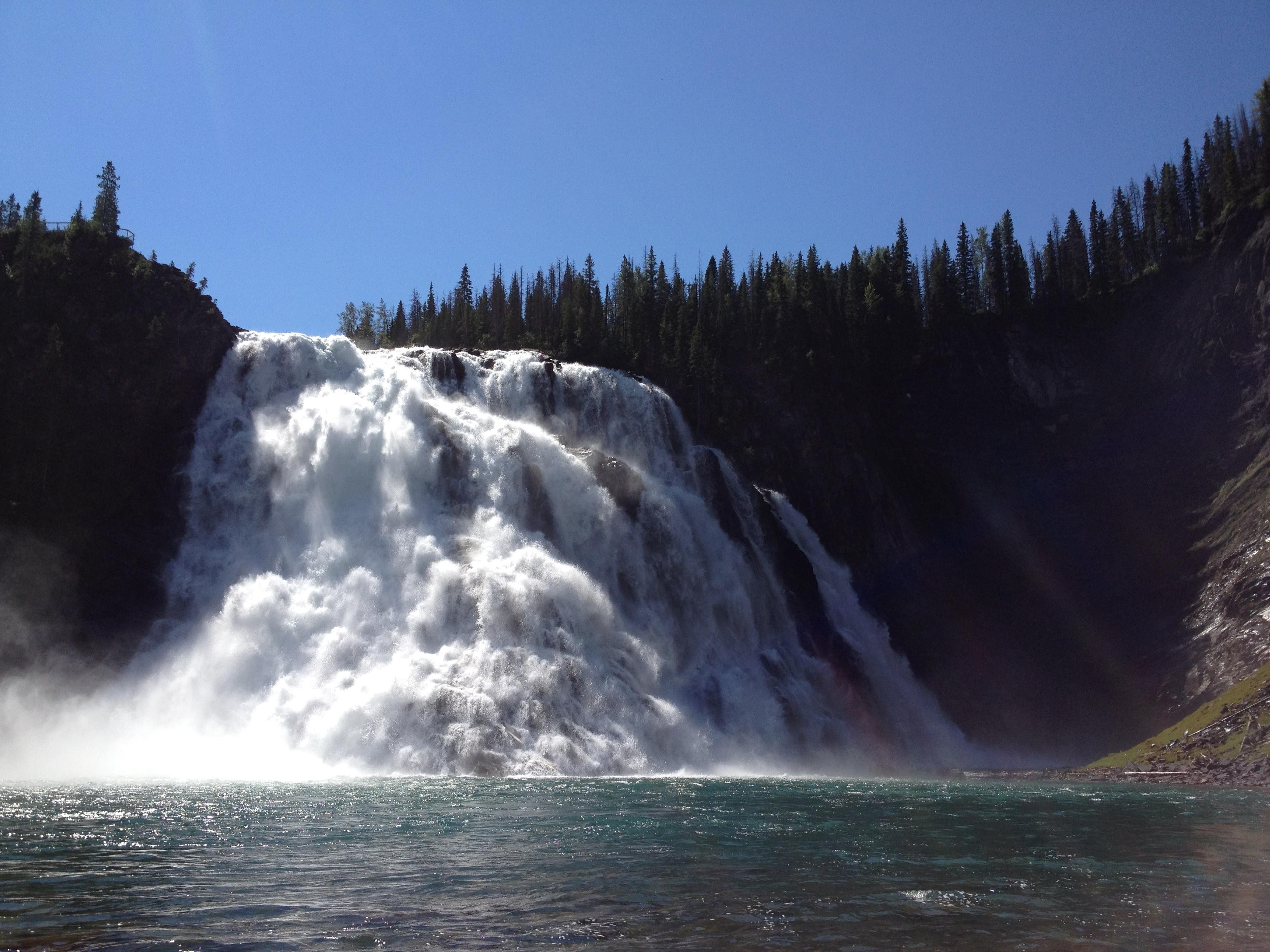
To continue with the Mini-Compressor Monday series, we have another beautiful summer vacation photo to share and another Mini-Compressor happy ending to tell.

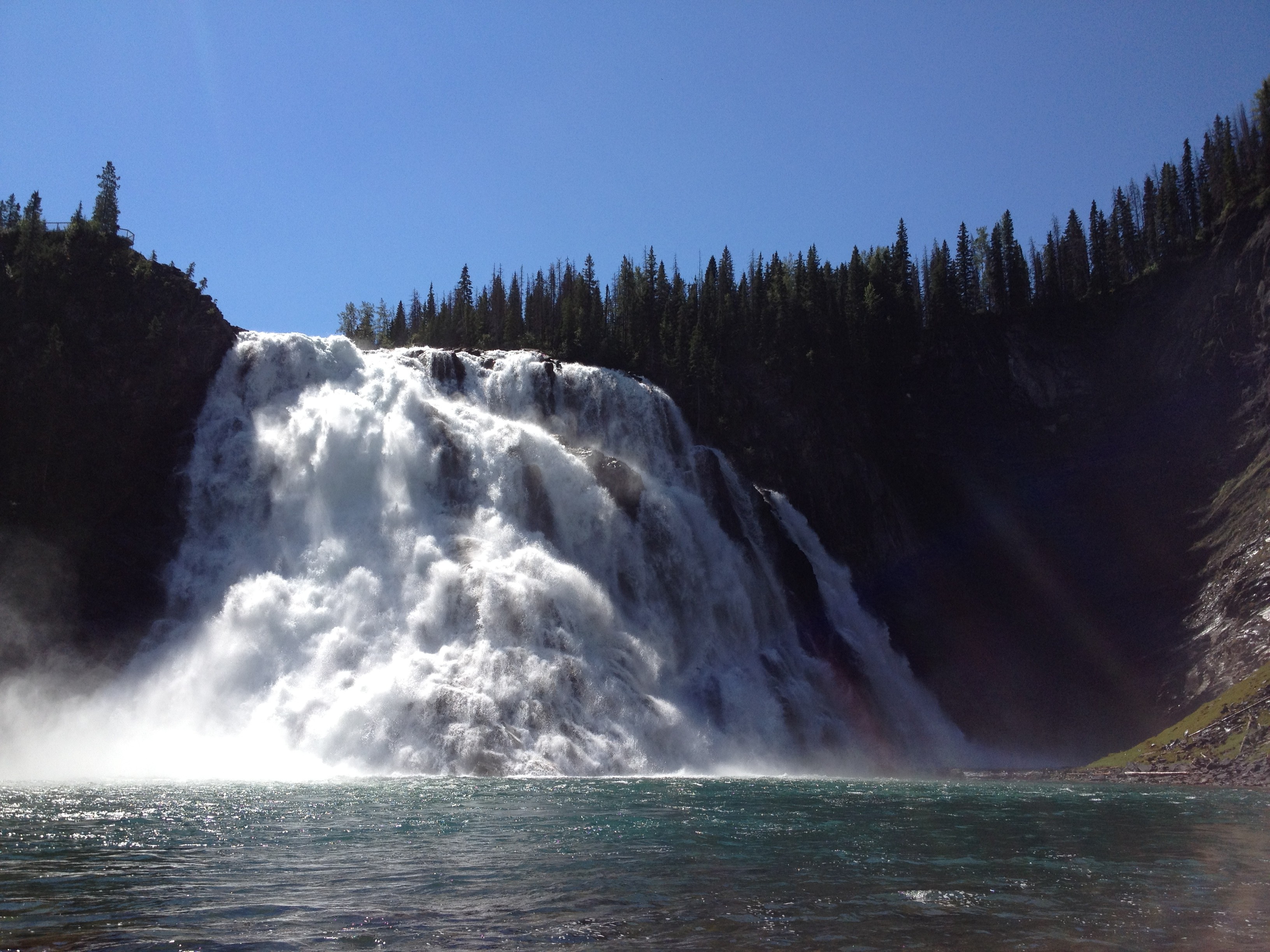
KinuseoKinuseo Falls in Northern British Columbia

Total photo size: 2,576 KB
Taken with iPhone 4S

Breathtaking?  Yup!  Immediately shareable?  Not quite.

[showhide type=”post” more_text=”Show more…” less_text=”Show less…”]

The Uncle* who so graciously boated us to the falls that early Saturday Morning, forgot his camera so we wanted to email this picture, plus a few others of our silly picnic on the sandbar and the ones of the Norwegian cousin getting soaked…  It took 16.4 seconds to attach the uncompressed jpeg alone.  It would take another bit of time to attach the rest, and send the email.

It took 7.3 seconds to upload to the Saturday MP Flickr site.  That is, 7.3 seconds for this one shot.  Again, start that stopwatch for all the rest of our river shenanigans.

The bottom line: why waste all this time when you just let Mini-Compressor do the walking?


Full-size photo Photo compressed 75 Photo compressed 50
Attach to Email 16.4 seconds 7.2 seconds 10.5 seconds
Upload to Flickr 7.3 +2.7 seconds 2.7 + 2.6 seconds 8.1 + 2.0 seconds

Now, to those worried about quality-loss, we say relax!

Take a look at the same photo after compressing to quality of 75%.  Not much difference?

Kinuseo_75Kinuseo_75.jpg
Compressed Image Quality = 75
Compressed Image Suffix = _75
File Size: 1,099 KB

How about after compressing the image to quality of 50%?

Kinuseo_50Kinuseo_50.jpg
Compressed Image Quality = 50
Compressed Image Suffix = _50
File Size: 530 KB

Now, the trained eye can detect a little loss in quality: the sun’s rays are a little fuzzy and the sky is not as crisp.  There is no colour quality loss.

You get the idea that it was a bright beautiful day, the water was chilly and falls were stunning.  If you look close enough, you can still feel the spray of the falls and hear the squeals of the kiddies.  Overall, the memories of the amazing day are intact.

And your post-vacation photo show off** time is well-spent.  Thanks, Uncle and Mini-Compressor for the great memories!

Do you have any summer memories to share?  How about one where Mini-Compressor saves the day?

* Hypothetically speaking.  Not The uncle – he’s real – but he doesn’t have email.  The times clocked are real, though.

** The Uncle lives in the country.  If he had internet access, it would likely be dial-up service.  Speed is important for him – both his boat and his hypothetical photo downloads.

[/showhide]

Posted in Mini-Compressor Monday | Tagged | Comments Off on Mini-Compressor Monday: Summer Continued