What we did this summer – 2013 edition (Mini-Compressor Monday part 1)

We ate ice cream, climbed mountains, gardened and worked.  Yeah, worked.

Aside from breaking sales records, we were also coming up with other ways to explain our wares.

So, today, we unveil: Mini-Compressor Monday*

In the vernacular of the geeky world I live in, Mini-Compressor Mondays is a series similar to “Yarned by You” and “Fashion Friday”, where the blog posts focus on the practical applications of Mini-Compressor.

Today, for our inaugural post, we present this snake, cleverly named Snake-y.

 Original Snakey
Total photo size: 1,786 KB
Taken with Olympus SZ-10

Snake-y’s photo was taken at a family reunion this July.  Needless to say, this reunion crasher was an instant celebrity.  When we returned, his photo was immediately shared.  The problem was emailing a photo that is 1,786 KB along with several other ones from the weekend.  It would take forever!  Uploading to the reunion Facebook page – along with the 48 other real stars of the show?  We estimate a good chunk of the work day!

I took Snake-y’s original photo and right-clicked on it.  Mini-Compressor did the rest of the work!

[showhide type=”post” more_text=”Show more…” less_text=”Show less…”]

I wasn’t sure what compression index to use and experimented.  May I present… Snakey, Compressed:

Snakey_75

Snakey_75
Compressed Image Quality = 75
Compressed Image Suffix = _75
File Size: 1,099 KB

Snakey_50Snakey_50
Compressed Image Quality = 50
Compressed Image Suffix = _50
File Size: 738 KB

Snakey_35Snakey_35
Compressed Image Quality = 35
Compressed Image Suffix = _35
File Size: 588 KB

Snakey_25Snakey_25
Compressed Image Quality = 25
Compressed Image Suffix = _25
File size: 495 KB

When you look at Snakey_75, you can still see the detailing of the green and brown grass.

The same can be said for Snakey_25!  The photos are virtually identical – even the pesky date stamp in the right corner is just as brisk as the original image – without being as large a file as the original.  Now that’s time well spent!

[/showhide]

*Hey, tell you what?  You create your own software and you can name your own blog series?  How’s that sound?

Posted in Mini-Compressor Monday | Tagged | Comments Off on What we did this summer – 2013 edition (Mini-Compressor Monday part 1)

Mini-Compressor Version 1.4 just Sprouted

Spring has sprung in the Saturday MP basement!

We planted some seeds in the late winter, and look what’s sprung! Version 1.4 of Mini-Compressor! Get it while it’s fresh.

Here are some of the features we’re especially proud of:

  • An intelligent error message when trying to compress a non-jpeg file
  • The ability to pause while compressing images
  • A window from the Start Menu that reminds users to right-click to use Mini-Compressor

All of Mini-Compressor’s fabulous features and how to use it are documented in the updated Mini-Guide.

If you previously purchased Mini-Compressor, you can download the latest version for free! Just go to the Downloads page and type the email address you used when you purchased Mini-Compressor. If you have any questions or comments, send them our way support@saturdaymp.com.

Happy Spring! And Happy Compressing!

Posted in Mini-Compressor | Tagged | Comments Off on Mini-Compressor Version 1.4 just Sprouted

Two Tips When Doing a Fresh Install of Windows 8

I have two tips when you are doing a fresh install of Windows 8 on a new laptop with UEFI BIOS.  Sorry, I mean with UEFI firmware interface instead of BIOS firmware interface.  I think that is more correcter or the correstest way.  I just can’t stop saying “UEFI BIOS”.   “UEFI BIOS”.  See I just did it again.  Next I’ll be saying use “The Google”.

Let us get back to the two tips.  The first tip is booting your new laptop with UEFI and secure boot enabled from a USB stick with Windows 8 on it.  The problem is the USB stick needs to be formatted as FAT32 because UEFI does not recognize NTFS.  I wonder why this is.  I couldn’t find a reason on The Google.

I used the Windows 7 USB/DVD Tool to get the Windows 8 installer on the USB drive.  You can ignore the “Windows 7” part; it works for Windows 8 just fine.  The problem is the USB drive is formatted as NTFS by the tool.  To get around this problem take the following steps outlined below which I got from Thomas Dbasinskas’s blog:

  1. Run the Windows 7 USB/DVD tool and select the Window 8 iso.
  2. Copy all the files on your USB drive back to the harddrive on your computer.
  3. Format the USB drive as FAT32.
  4. Copy the Windows 8 files from your computer back to the USB drive.

The second tip is that the Windows 8 key is stored in the BIOS.  I mean the UEFI.  Maybe the UEFI BIOS.  Anyway, it’s stored in the firmware of the laptop.  This is not a problem if you want to reinstall the same version of Windows 8 but in my case I wanted to upgrade from Windows 8 to Windows 8 Pro using my MSDN key.

I was confused because during the Windows 8 install I was never asked for a key.  I thought I would be asked after the install but never was.  After some confusion I figured out the key was stuffed in the firmware.  To upgrade my version of Windows I had to enter in the Windows 8 Pro key and then Windows auto-magically upgraded itself.

Posted in Uncategorized | Comments Off on Two Tips When Doing a Fresh Install of Windows 8

‘Tis the Season

Snow in Edmonton

It doesn’t seem to want to stop snowing in Edmonton for some reason, but that’s not the season I’m talking about… I’m talking about the one that concerns the government taking a certain percentage of your earnings every April.

While walking DD to school last week, she educated me on a fictional Queen of Fables who, for her punishment, was banished to the US Tax Manual for eternity!  I then educated DD on the meaning of the phrase “fate worse than death”!

Happy April 30, everyone!

Posted in Fun | Tagged | Comments Off on ‘Tis the Season

Get’er Dun

Every Tuesday night, my business partner and I have a date.  A working date.  It’s in our calendars for 9:00 to 10:30.  The place is always the same – the basement office – so no babysitter is required.  And there’s plenty of parking.  We’ve had this standing date for about a year and a half, since we returned from the Business of Software conference in 2011.

I mentioned in Working Together – Part 1 how SatMP is like our second born child.  Well, like our first born child whom we drive to various extracurricular activities, we need to drive this baby places too.  Only, by driving, we mean staying put, and by places, we mean putting in the time.  When we made this earth shattering discovery, we were both gainfully contracted i.e. day jobs, and found we had a hard time tackling our to-do list.  And boy did the list grow while we were at the conference.  They say the way to eat an elephant* is one bite at a time but those bites are sure tiny when you’re tired and there are competing demands like laundry and bookkeeping.   The obvious time slot would have been our namesake Saturday mornings, but those are now for family activities…  so during one of our lovely dinners in Boston, we committed ourselves to one whole night a week to pampering our SatMP.

And by whole night, we realistically knew it would be only an hour and a half by the time DD is tucked in, dishes are done, computers are booted up, sparks fly and before we turn into pumpkins**.  Still, those 90 minutes times two people is synergy at its best.  It’s uninterrupted (almost) focused coding (and stuff), software testing, blogging and Mini-Guide updating.

These standing dates are called, aptly enough, Get’er Dun.

How and when does your small business manage to get’er dun?

* no elephants are hurt at Get’er Dun nights

** no pumpkins are hurt either

Posted in Business Side, Fun | Tagged , , | Comments Off on Get’er Dun

Dealing with Microsoft’s SmartScreen Filter Part 2: Getting a Code Signing Certificate

This is part 2 of dealing with Microsoft’s SmartScreen Filter.  You can find the first part here.

I figured the best way to deal with SmartScreen filter was to get Mini-Compressor Windows 7 certified.  Windows 8 had just been released but I figured if I could get Windows 7 certified upgrading to Windows 8 certification shouldn’t be a problem.  At the time I had not tested Mini-Compressor on Windows 8 but I had done lots of testing on Windows 7.

I found the Windows 7 certification site at:

https://sysdev.microsoft.com

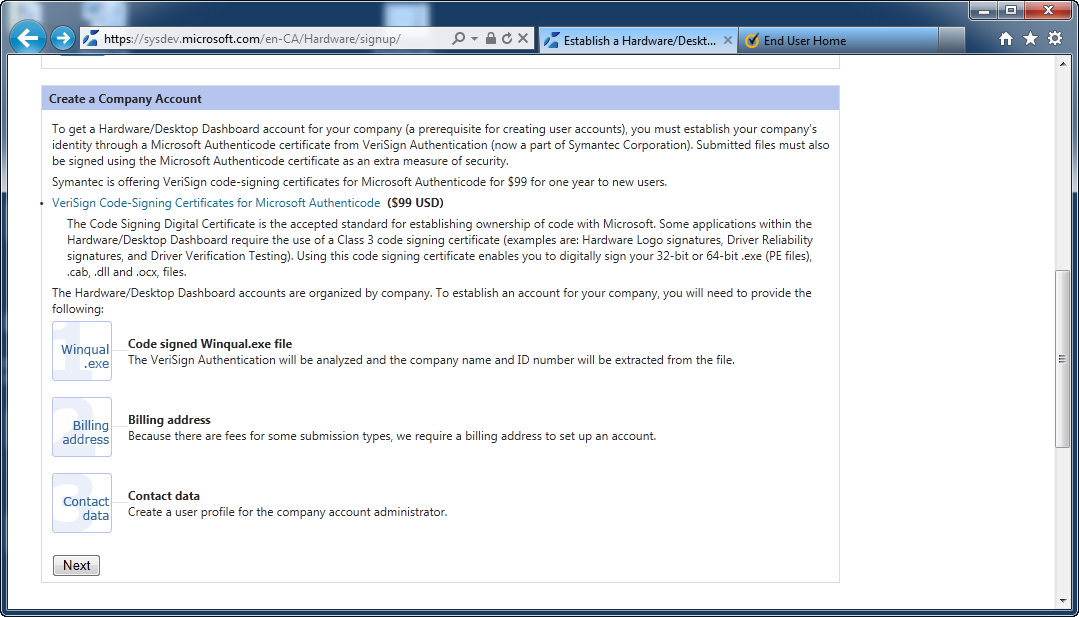
I logged in with a Microsoft account and was then told I need to create a company account.  To do that I need a code signing certificate.  I knew I would eventually need a code signing certificate but didn’t think I would need one so quickly in the process.  I clicked the link to code signing certificate from VeriSign for $99.

Create Company Account

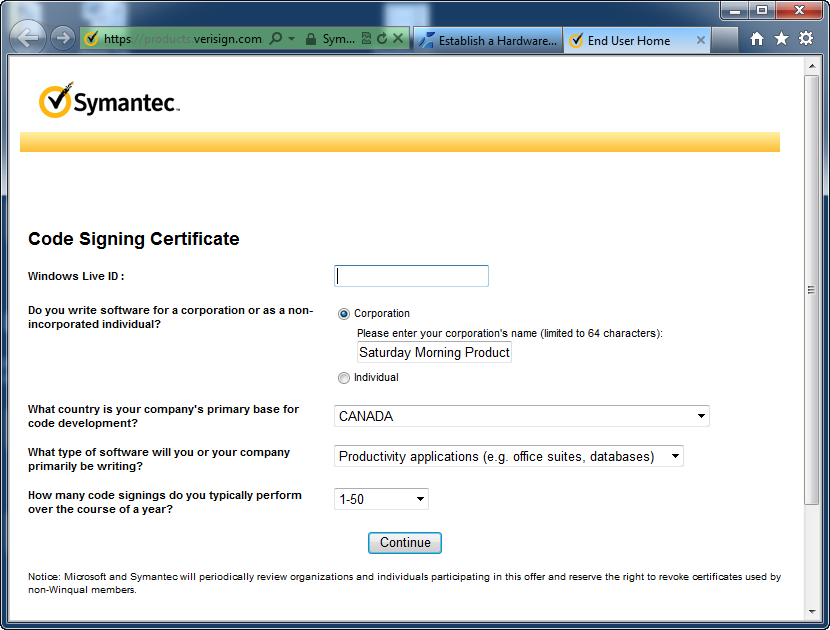
Once on the Symantic site I was prompted for some information and to link my Windows Live ID:

02-CodeSigningCert

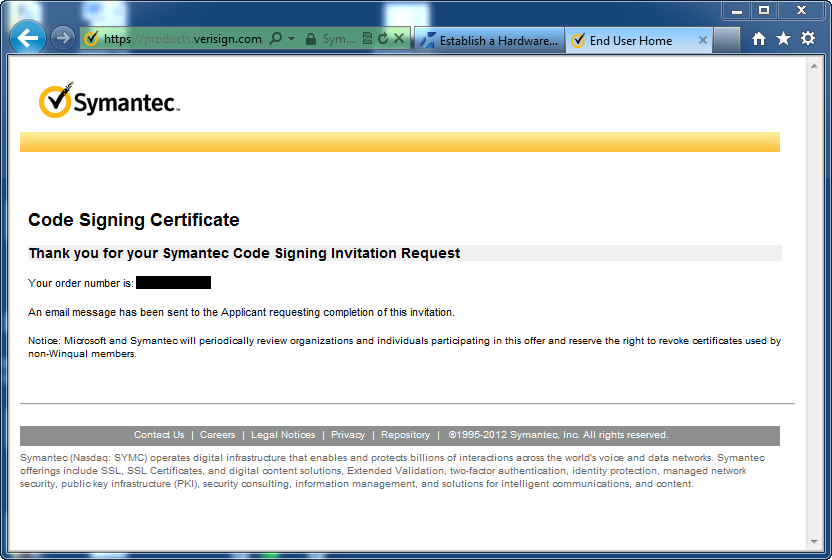
An e-mail is then sent to you to confirm your e-mail address.  Follow the directions in the e-mail.

03-CodeSigningInvitaionRequest

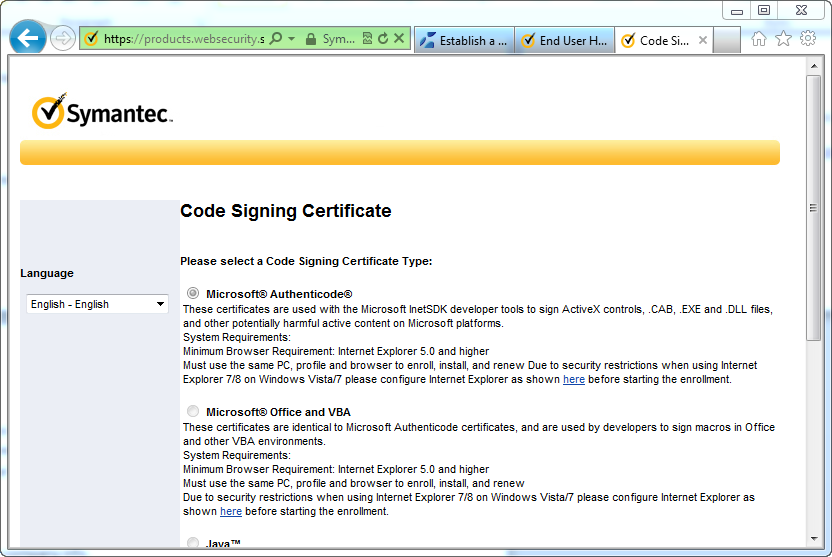
I was then prompted for the type of certificate I wanted.  I chose Microsoft Authenticode.

Code Signing Type Of Cert

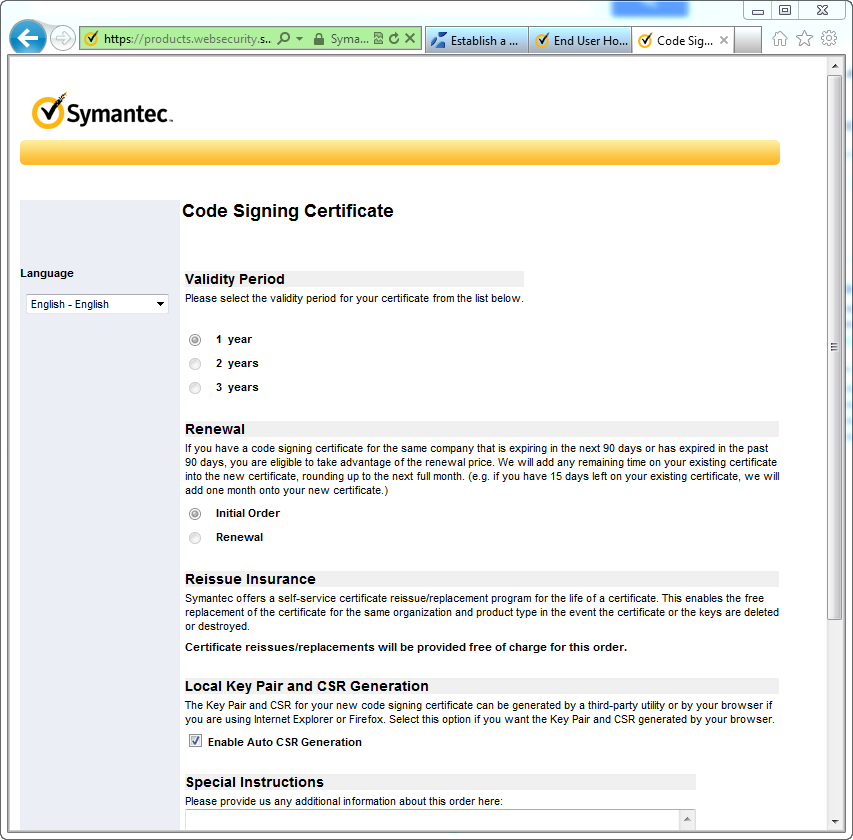
Then I had to pick validity period and a couple of other options.  I had to choose one year because I was getting the special Microsoft discount.  I also choose to Enable Auto CSR Generation.  This lets your browser generate the keys for your certificate rather than using a third party tool.

Code Signing Validity

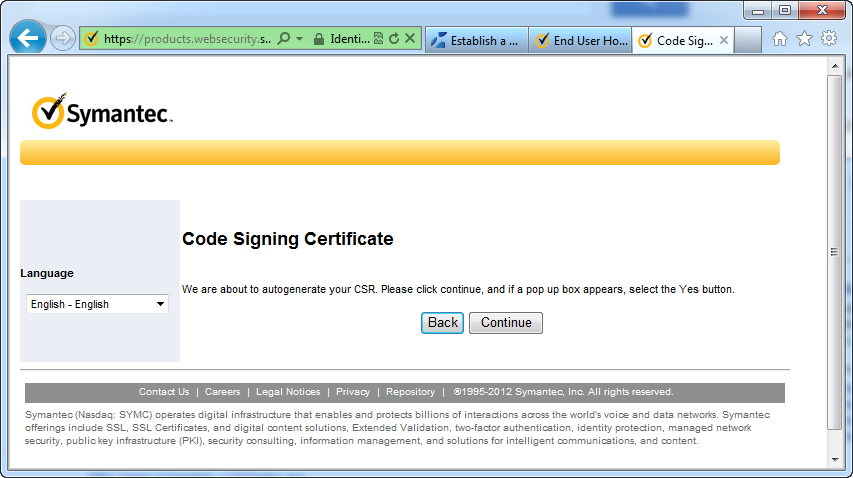
Then the code signing certificate is generated.

Code Signing Auto Gen Csr

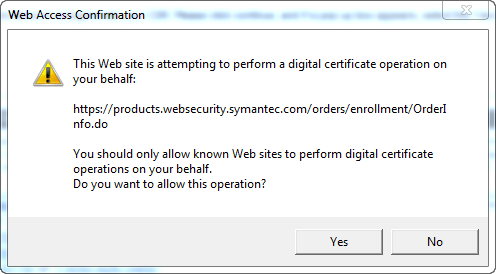
Csr Code Signing Confirm Popup

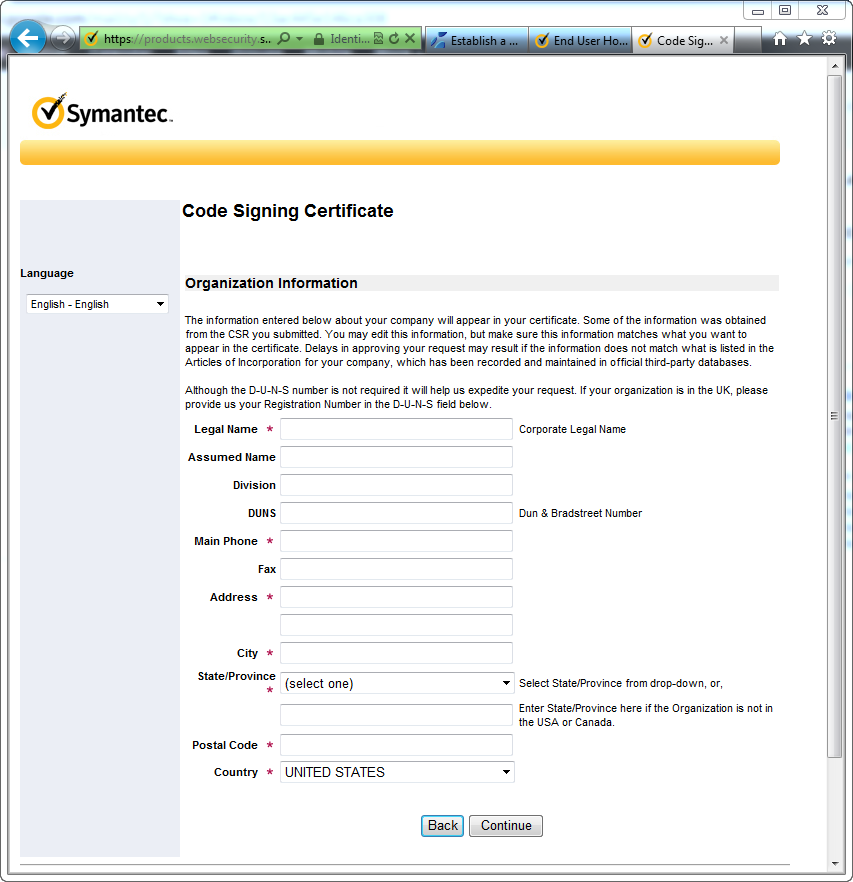
Now that the keys are generated I need to enter some information about Saturday Morning Productions, contact info, and finally some billing information.

Code Signing Organization Info

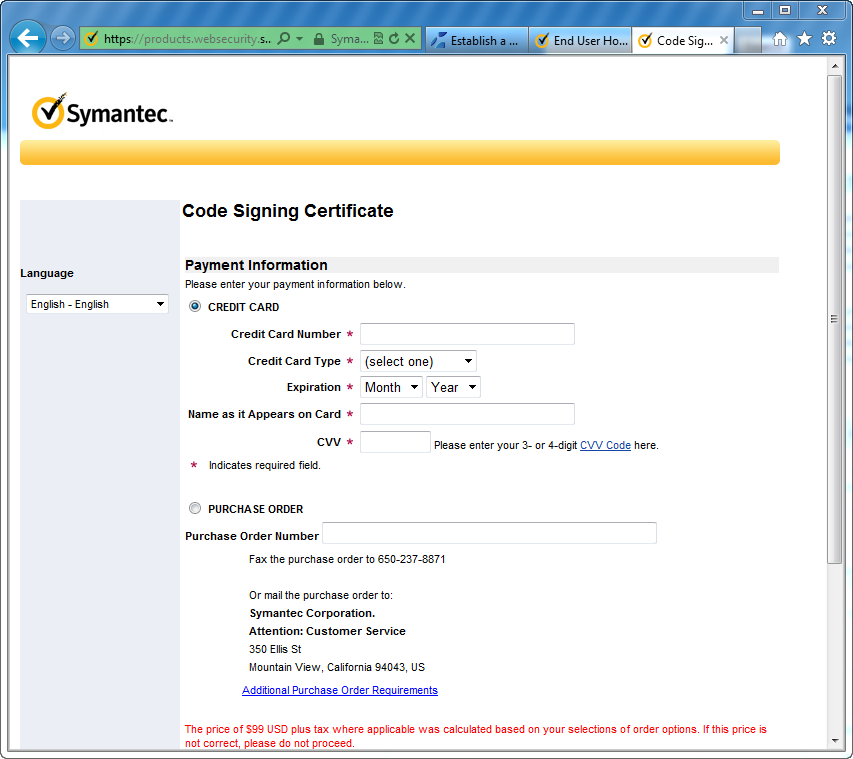
Code Signing Payment

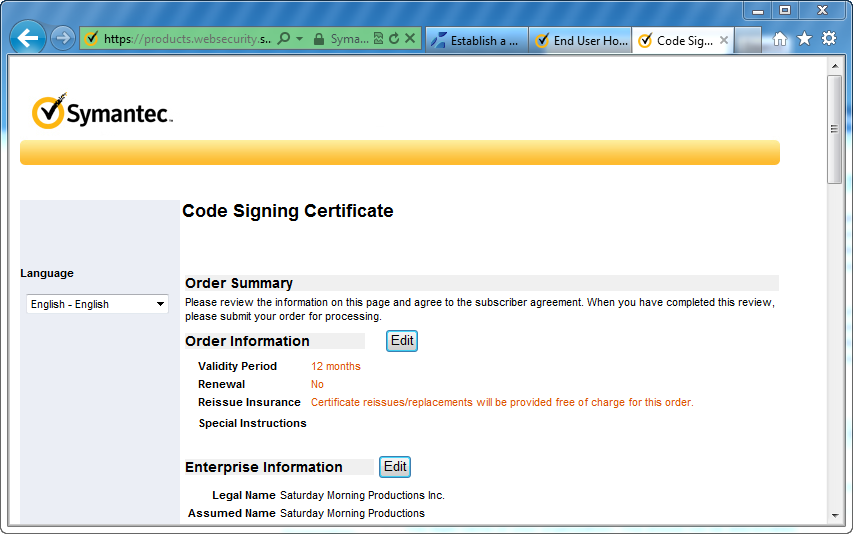
Finally you get an order summary.

Code Signing Summary

The certificate is ready but Symantec won’t give it to me until they verify that I’m actually Saturday Morning Productions.  They did this by e-mailing me and requesting documents.  In my case they asked for business registration documents which I provided them.  Unfortunately the phone number on my business registration documents was out of date.

They asked for a phone bill with my company phone number.  That turned out to be a problem as well because my phone bill, for some reason, only had my personal name on it, not Saturday Morning Productions.  As a last resort I got a notary letter.  Luckily we know someone who is an excellent real estate lawyer.

This process took a week or two.  Thankfully the people at Symantec where polite and patient during the whole process

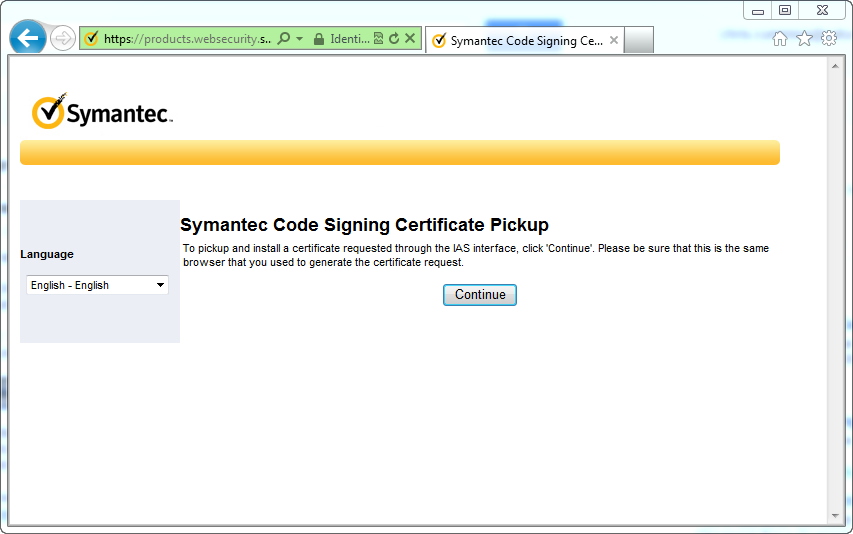
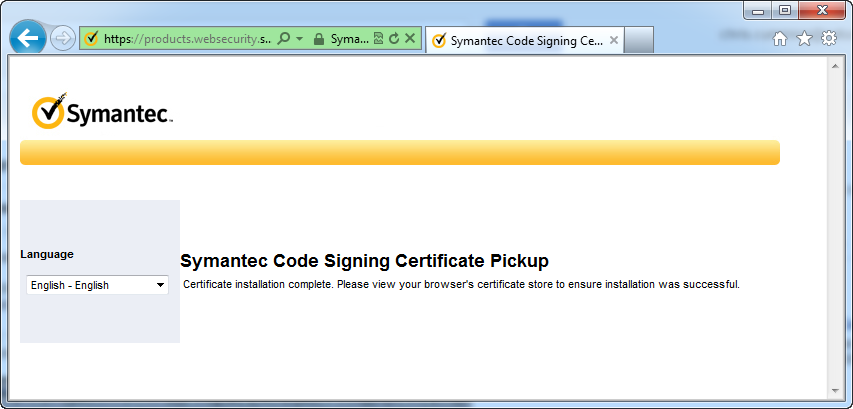
Once they accepted my notary letter I was prompted to pick-up my certificate.  It is important that you use the same computer that generated the certificate to download the certificate.  Once you have downloaded the certificate you can transfer it to another computer.

Code Signing Cert Pickup

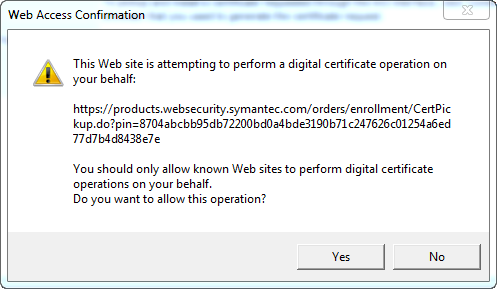
Code Signing Confirm

Code Signing Cert Pickup Complete

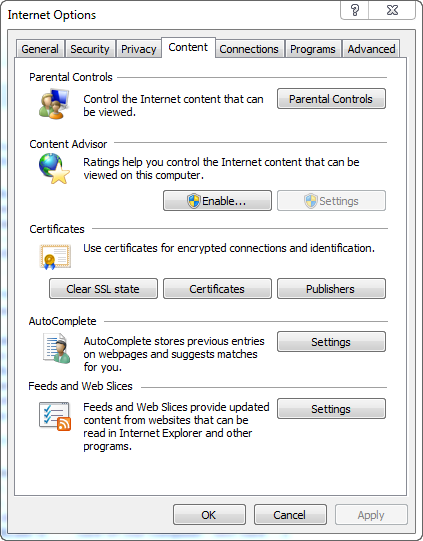
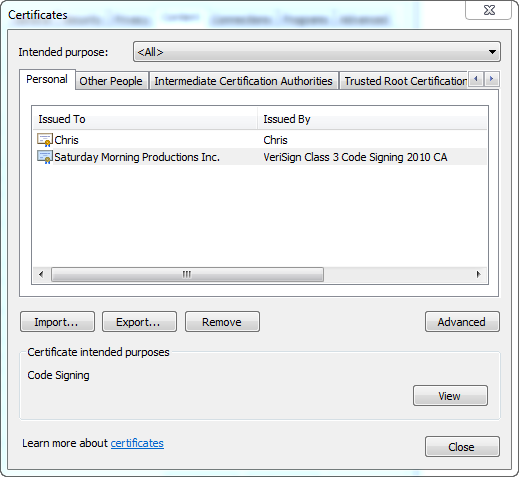
To confirm that you have the certificate open up Internet Explorer and then open the options dialog.  Then click the Content tab and then click the Certificates button.  You should see your new certificate in the Personal tab.

View Cert In IE

View Cert In IE 2

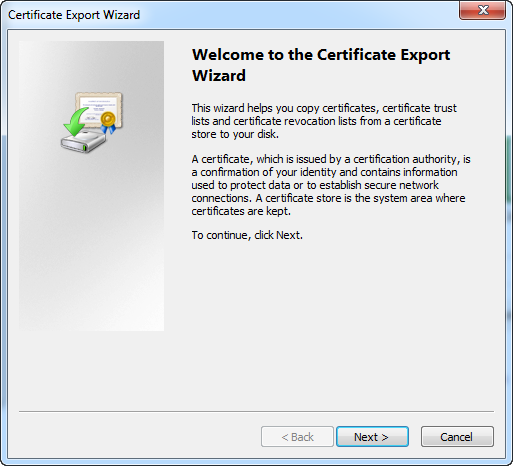
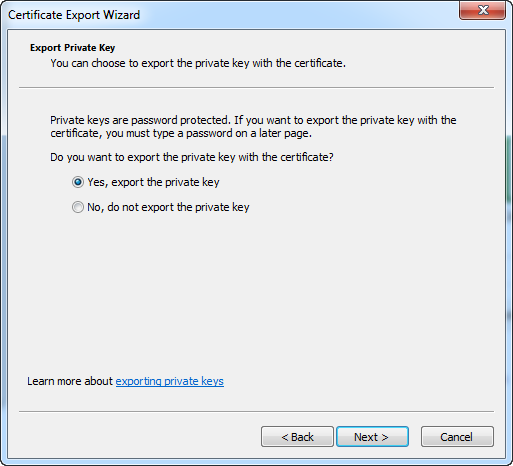
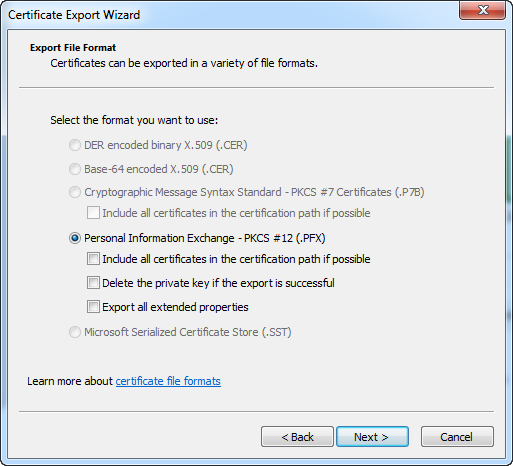
To export the certificate so we can get it on our build machine you need to, unsurprisingly, click the export button.  Then follow the steps in the wizard.  In my case I left all the defaults as this was my first time.  After I was sure the export worked I went back and removed the key.

Export Cert Welcome

Export Cert Private Key

Export Cert File Format

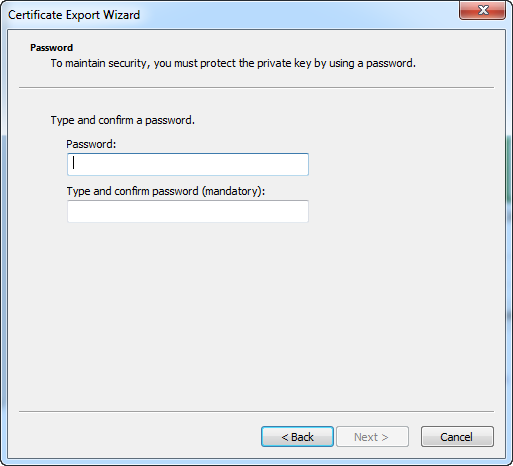
Make sure you enter a good password and don’t lose/forget the password.

Export Cert Password

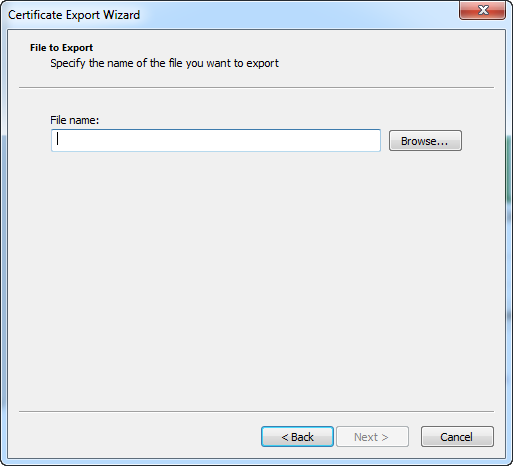
Finally choose where to save your key.  Choose a safe location that is backed up and hopefully encrypted.

Export Cert File

You know you have a valid code signing certificate when you can use it to sign installers and executables.  I’ll detail how to actually sign stuff in another post.

Posted in Business Side | Tagged , | Comments Off on Dealing with Microsoft’s SmartScreen Filter Part 2: Getting a Code Signing Certificate

Working Together – Part 3

Some of you have asked for a little more detail on our physical workspace, as an extension on our seriesworking with a spouse.

This may be taken as a belated February Hallmark Holiday post.

Our basement-based office is in the basement.  We cannot make this clearer when we say only one of us gets the window seat.  As in, there is only one window seat.  I like the afternoon sun hitting me as I, ahem, analyze businesses.  Chris doesn’t like it near him as he develops software.  I got the window seat.

Why are there bars?

The entire space is 11 feet (3.35 m) by 12.58 feet (3.84 m) so, really, that sunlight is going to shine.

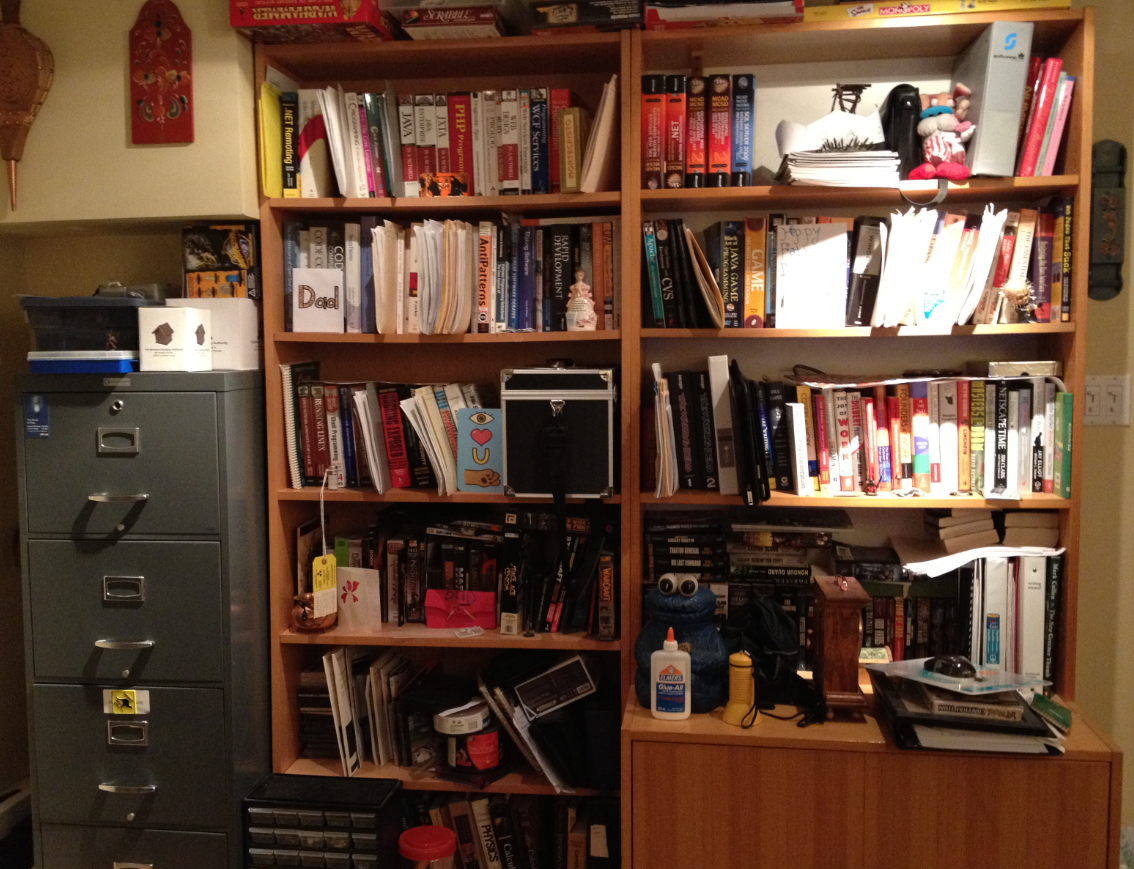
In this 11 feet (3.35 m) by 12.58 feet (3.84 m) space, we have the following furniture:

  • 2 Swedish self-assembled book shelves
  • 1 second hand filing cabinet
  • 2 folding tables
  • 1 printer/scanner sitting on 1 re-imagined night table
  • 1 Dad-built desk
  • 1 folding table that is modified to my height and functions as a desk
  • 1 shredder
  • 1 garbage can
  • 1 Mira chair
  • 1 Aeron chair
  • 1 ginormous whiteboard
  • 1 bulletin board
  • 1 phone
  • Various personal effects
  • Lots of blinking lights that I’m told power the internet
  • 1 cookie jar

This is where the magic happens.  This is where Mini-Compressor and other secret projects are conceived and developed.  This is where support calls are answered.  This is where we consult when not on client site.

If you ever find you and your spouse co-owning a basement-based software and consulting company, we think you can get your best result by building an exactly 11 feet (3.35 m) by 12.58 feet (3.84 m) room in your basement, cramming it with the above furniture items, getting awesome chairs and giving the window seat to the person who is least like a vampire.

Then let your creativity flow.

Lots of stuff

Posted in Business Side | Tagged , , | Comments Off on Working Together – Part 3

Dealing with Microsoft’s SmartScreen Filter

If you don’t eat your meat, you can’t have any pudding!  How can you have any pudding if you don’t eat your meat!

Pink Floyd, Another Brick in the Wall

Microsoft’s SmartScreen Filter is the bane of small Independent Software Vendors (ISV) everywhere.  Maybe that is a little harsh, and I have no proof that SmartScreen Filter is a problem for other ISVs, but it has, and as of this writing, still is a problem for Saturday Morning Productions.  Besides, that first sentence is a good sensationalist sentence, perfect for a newspaper article or blog post.

So what is SmartScreen Filter?  It’s a technology in Internet Explorer that tries to prevent users from visiting websites and downloading software that might harm their computer. That is a noble goal and one I fully support.  The problem is the implementation.

SmartScreen Filter works by checking if the software being downloaded has been downloaded by other people.  If lots of people have downloaded the software and haven’t reported any problems then SmartScreen Filter thinks the software is safe and tells the user so.  If lots of people have downloaded the software but reported problems then SmartScreen Filter warns the user about downloading and installing the software.  That part is fine.

The problem is SmartScreen does not trust new software by default and when a user tries to download and install said software they get a nasty message in red like the one below.

Nasty Smart Screen Message

How many people are going to be downloading software that displays that message?  Thus starts the problem with SmartScreen filter:

If no one downloads your software, SmartScreen won’t trust you!  How can SmartScreen trust you if no one can download your software!

So begins my epic quest to get Mini-Compressor off SmartScreen’s naughty list and onto the nice list.  This includes getting a code signing certificate, trying to get Windows 7 certified, which has the long winded name “Windows 7 Software Logo Program” (WSLP), and other unknown perils.  I wonder how far I will get?

Here be dragons.

Part 2: Getting a Code Signing Certificate

Posted in Business Side | Tagged , , , | Comments Off on Dealing with Microsoft’s SmartScreen Filter

Working Together – Part 2

To continue our series on working with a spouse, today we explore how we physically work together and physically live together.

Disclaimer: this blog post is not meant to replace marriage counselling.

Work space

We share a work space, but not 100% of the time.  Our contracts take us to client sites a few days a week.  When our schedules coincide and we both end up in the basement at the same time, we still manage to get work done.  Chris is incredibly focused, and I have my headphones to help with my focus.

Other than the obvious Golden Rule “Respect one another’s time and space”, we’ve worked out ways to make the basement conducive to producing good stuff.

Comfy chairs

We have them.  We love them.

Opposites attract – part 34

Chris works best in the early mornings, and my most productive time is in the late afternoon.  We both try to leverage our peak times for some peak performance.  And remind the other basementite of these times.  Chris usually starts work early in the morning while I’m still walking DD to school.  He takes a break after lunch while I’m pounding away at whatever I’m pounding away at then when I go to pick up DD from school/chauffeur to extracurricular activities, this gives him some time/space/quiet.

Get outta here

Sometimes we get out of the basement to talk about work.  We go out for lunch and find we have the other’s full attention.  This is especially important for discussing thing that require full attention.

Living together

Believe it or not, we don’t talk about work a lot outside of the basement, with the exception of the above lunch dates.  We have our lives that are more important.  However, if there is something work related to discuss, that stays in the office or is discussed after DD goes to bed.

There you have it!  More SaturdayMP tips on living and working together with your spouse.  You’re welcome.

Posted in Business Side | Tagged | Comments Off on Working Together – Part 2

Saturday Mo-rning’s Mo

I’m taking part in Movember again this year. Why, you ask? Why not, I say. I get to grow a moustache, help change the face of men’s health, and annoy my wife with my awesome facial hair. That’s why. Well actually, there is another reason. I’m getting close to the mandatory prostate exam age and, well I think my “official” Movember reason says it best:

“I hope the Movember money is used to build a diagnostic tool that doesn’t involve sticking things where the sun doesn’t shine. Like a Star Trek Tricorder.”

Then I can hopefully avoid the below situation:

http://www.youtube.com/watch?v=xHKTE75dgE4

You can support me by donating here: https://www.movember.com/ca/donate/payment/member_id/1883084/

Or you can support my client FAS’s team: https://www.movember.com/ca/donate/payment/team_id/742033

Remember, I’m the coolest part of the team, so why even bother with those bozos? How else can I convince you to donate? Well, I think Penny Arcade says it best:

Penny-Arcade Remember, Remember

How can you help change the face of men’s health without changing your own face?

P.S. – Don’t forget to Donate: https://www.movember.com/ca/donate/payment/member_id/1883084/

Posted in Fun | Tagged , , , | Comments Off on Saturday Mo-rning’s Mo