Introduction to Object-Relational Mapping for DBAs – Part 2

This is part two of a lighting talk I’m giving at the SQL Saturday Edmonton Speaker Idol Contest.   Imagine I’m actually speaking the words below and showing some of the images on slides and/or doing a demo.  Code can be found here.

If you don’t want to read Part 1 it basically started the ORM example and ended in a panic over indexes.  

This is a rough draft so constructive feedback at chris.cumming@saturdaymp.com is much appreciated.

[Read More]
Introduction to Object-Relational Mapping for DBAs - Part 1

This is the part one of a lighting talk I’m giving at the SQL Saturday Edmonton Speaker Idol Contest.   Imagine I’m actually speaking the words below and showing some of the images on slides and/or doing a demo.  Code can be found here.

This is a rough draft so constructive feedback at chris.cumming@saturdaymp.com is much appreciated.

Skip ahead to Part 2 if don’t feel like reading all of part 1.

Developer Bud wants to create a new application to track the board games he and his friends play.  He wants a simple website where him and his buddies can login to update the results from the board games they have played.  Being a .NET Developer he creates a ASP.NET MVC Core application with individual authentication.

[Read More]

XPlugins.iOS.BEMCheckBox 1.4.3 Released

I’m happy to announce the release of XPlugins.iOS.BEMCheckBox 1.4.3.  The main feature of this release is exposing the DidTapCheckBox event in the underlying BEMCheckBox.  You can find a full list of issues fixed in this release here.

The easiest way to get this update is via NuGet:

Install-Package SaturdayMP.XPlugins.iOS.BEMCheckBox -Version 1.4.3
dotnet add package SaturdayMP.XPlugins.iOS.BEMCheckBox --version 1.4.3

Subscribe to the DidTapCheckBox event as you would any other C# event:

checkbox.DidTapCheckBox += DidTapCheckBoxEvent;

The event handler looks like:

[Read More]

Happy Holidays and all the Best in 2018!

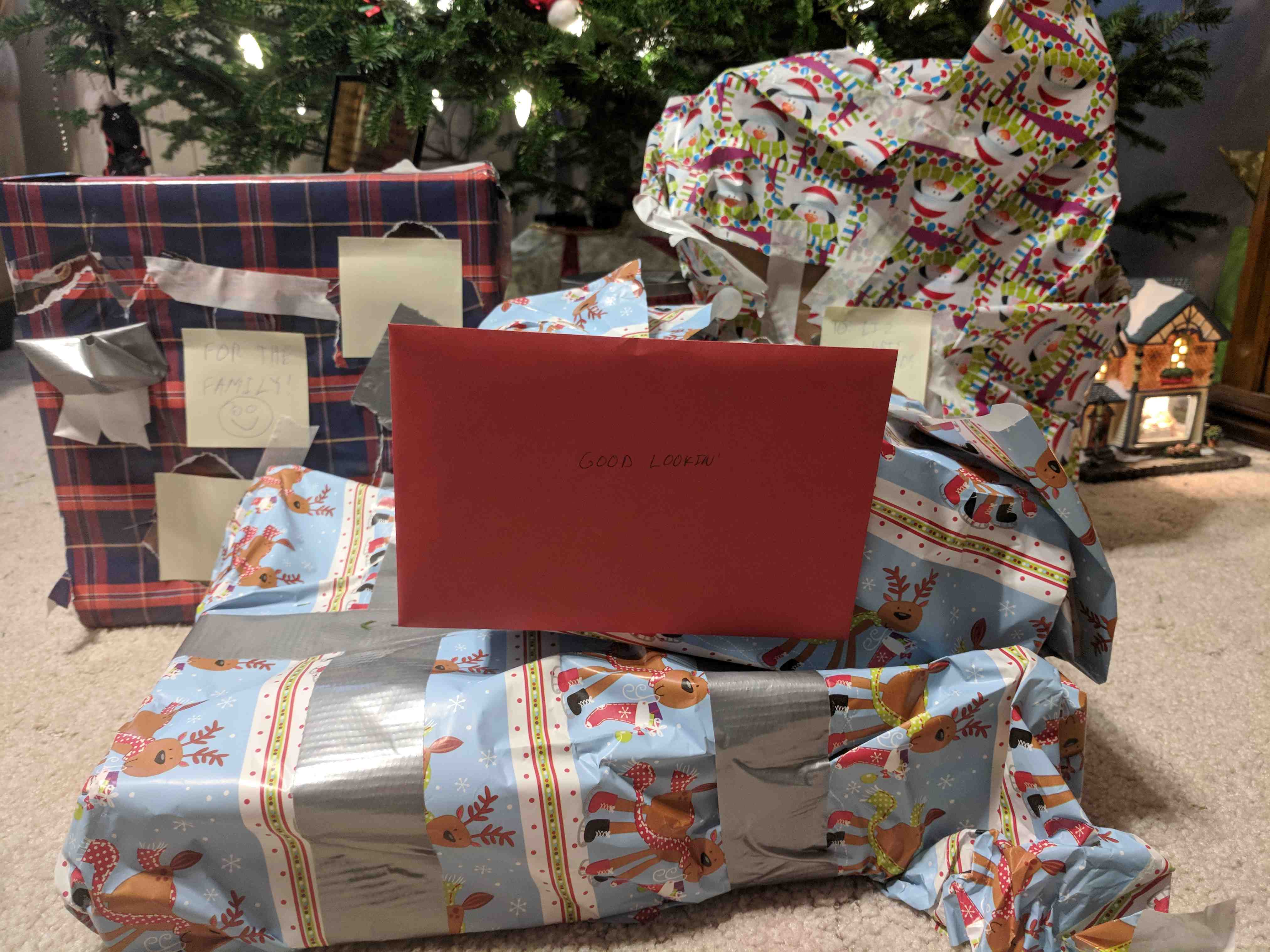
[caption id=“attachment_1522” align=“alignright” width=“300”]Wrapped Christmas Presents Gift wrapping skill is inversely correlated to software development skills.[/caption]

This morning I made my last shopping trip before Christmas, at least I hope it’s my last trip.

Pro tip: the Costco near us officially opens at 10am but if you show up at 9:45ish they will let you in.  At least they let me in.  Then you can run, grab the salmon, and get out before the hoards descend.

[Read More]
Categories: fun  Tags: happy-holidays 

Today I Learned How to Fix Illegal Characters in Path Error with TeamCity and RealmDB

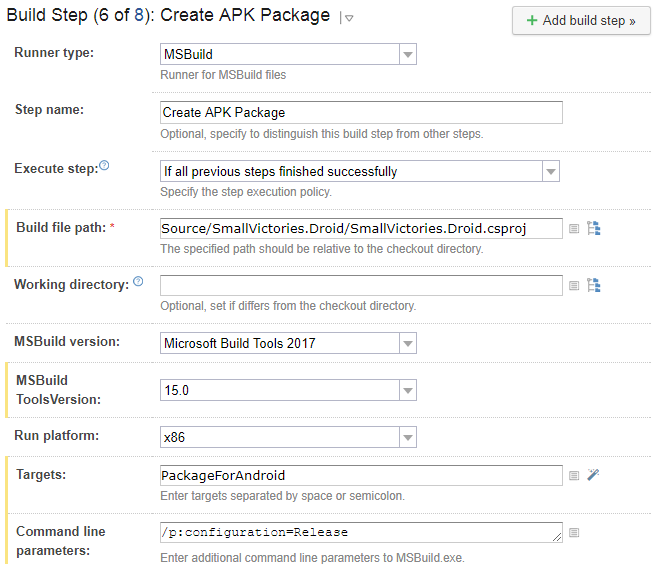
When building a Xamarin application one step is to build the Android APK file.  This is a MsBuild step in TeamCity that looks like:

TeamCity Create APK Package Build Step

This step generates the following error:

[15:55:53][Source\SmallVictories\SmallVictories.csproj] CopyRealmWeaver
[15:55:53][CopyRealmWeaver] CopyRealmWeaver
[15:55:53][CopyRealmWeaver] Copy
[15:55:53][Copy] Creating directory "*Undefined*Tools".
[15:55:53][Copy] C:\BuildAgent\temp\buildTmp\.nuget\packages\realm.database\2.1.0\build\Realm.Database.targets(28, 5): error MSB3021: Unable to copy file "C:\BuildAgent\temp\buildTmp\.nuget\packages\realm.database\2.1.0\build\..\tools\RealmWeaver.Fody.dll" to "*Undefined*Tools\RealmWeaver.Fody.dll". Illegal characters in path.
[15:55:53][Step 6/8] Error message is logged

Notice the “*Undefined*Tools” in the directory path.  To fix this step you need to add /p:SolutionDir="/" to the command line.  So now the build step looks like:

[Read More]