Chris, have you created that Ruby on Rails 5 project? What Does it Look Like I'm Doing!

In the above video you can replace the question with:

Chris, have created that Ruby on Rails 5 project?

What dose it look like I’m Doing!

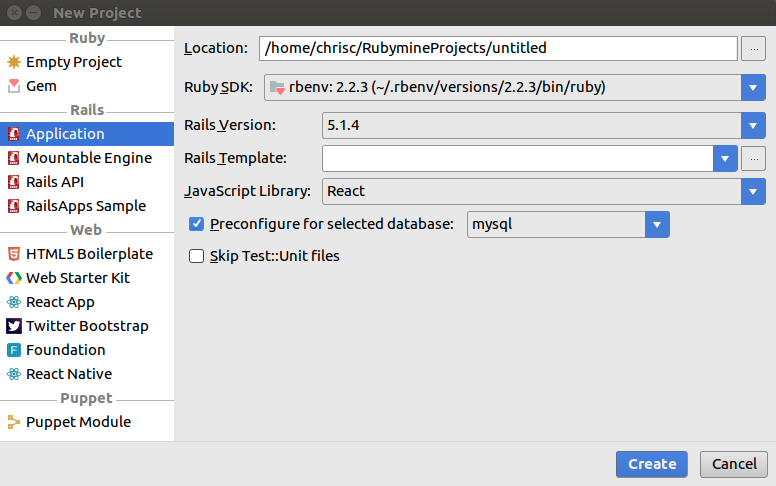
Scene 1: Create new Ruby on Rails project using Ruby Mine.

New Ruby Mine Project

Scene 2: Try to install the Gems find out I need Ruby 2.5.

[Read More]

Today I Learned how to Run SpinRite on a UEIF Motherboard

I have a Synology NAS that has starting acting up.  By acting up I mean I can’t connect to it and it requires a unplugged reboot to fix it.  Power button no work.  After doing some detective work I’m not sure if the problem is with the hard drives or the Synology it’s self.

To help me narrow down the problem I thought I’d run SpinRite which is a hard drive diagnostic tool.  I heard about SpinRite from the Security Now podcast.  It was created by Steve Gibson, one of the hosts and they talk about it’s virtues often on the podcast.

[Read More]

Just Enjoy the Show

I’m on optimist and generally think things will work out for the best.  I like to say:

The future is awesome!

That said it’s easy to forget how awesome individual days can be.  How many small but amazing things occur each day that we gloss over.  Our day is 99% good and 1% bad but we focus on that one minor bad moment.

Think about your conversations at the end of the day.  Does it focus on the negatives of the day?  That boozo that cut me off in traffic.  The Internet was down for 5 minutes.  I had to stay at work 10 minutes late.  Etc.

[Read More]

Today I Learned how to Copy a Putty Key From Windows to a Mac

You created a private Putty key on Windows workstation to access a remote service but now you need to access that same remote service from a Mac workstation.  In my case I need to access the same Git repository from both machines.  I created the key using the steps outlined in a previous post.

Quick aside: Before we continue you need to decide if it’s better to copy your private key or just generate a new private/public key pair on the Mac.  If the service you are connecting too does not support multiple keys then you have now choice but to copy it.  Assuming that the service does allow multiple keys then consider these security implications of copying your private key.

[Read More]
Categories: network today-i-learned  Tags: mac putty ssh 

Today I Learned How to Create a Key Pair Using PuTTY

I recently had to generate a private/public key pair to access a Git repository.  While I’ve done this several times before I never do it enough to remember all the steps so this time I wrote it down.

Since my primary workstation runs Windows I use PuTTY to generate the keys.  If you thought PuTTY was just a SSH client then you are not alone (e.g. I used to think that too).  PuTTY’s unofficial tag line should be:

[Read More]